

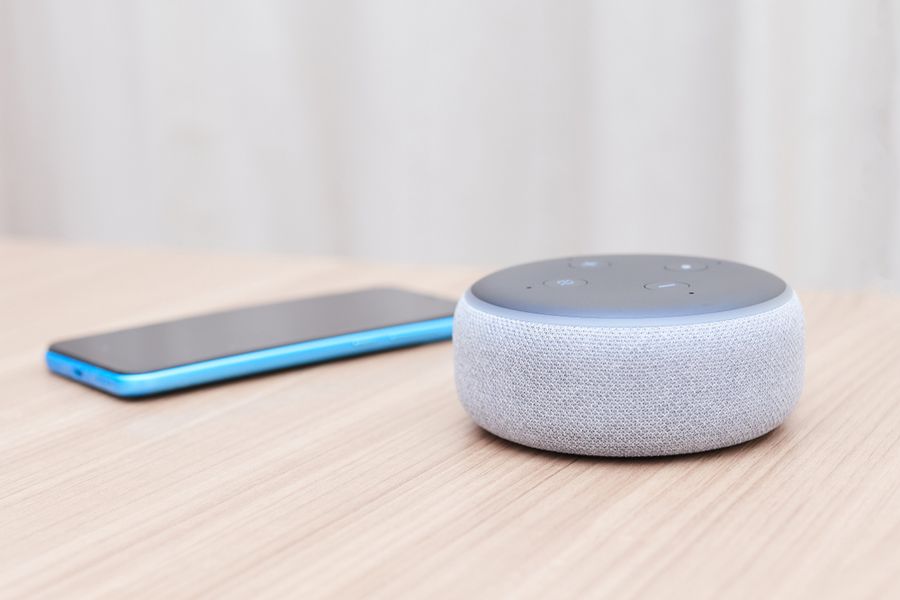
Smart bulbs, locks, plugs, sensors, and cameras can make daily life easier, but only if they all talk to each other. That is where a smart home hub comes in. A good hub acts like a control center, tying every device into one app or one voice command. Understand how the right hub depends on which gadgets you own, which voice helper you like, and how much control you want over the small details.
Amazon Echo Hub
The Amazon Echo Hub is built for people who already use Alexa or plan to. It is a wall-mounted touchscreen that shows your camera feeds, smart locks, lights, and routines on one clean dashboard. You can tap or swipe to turn things on, or just speak to Alexa from across the room. The screen also displays calendars, weather, and reminders, so it works as a family message board too.
Under the hood, the Echo Hub supports Zigbee, Matter, and Thread, three of the most common smart home languages. That means it can connect with a wide range of devices without extra adapters. Setup is simple through the Alexa app, and you can drag widgets around to build a layout that fits your daily routine. For most Alexa users, this is the easiest way to bring all their devices into one place.
Google Nest Hub (2nd Gen)
The Nest Hub from Google is a small countertop screen that uses Google Assistant. It is a popular pick for kitchens, bedrooms, and home offices because it shows recipes, plays videos, and runs your smart home controls all in one spot. The screen brightness adjusts to match the room, so it never feels too harsh in dim light or too dull in sunlight.
This hub works well with thousands of devices through Google Home, including smart thermostats, plugs, lights, and cameras. It also supports Matter, which lets it pair with newer products from many brands. A nice extra is sleep tracking through built-in sensors, which can monitor your breathing and movement at night without needing a watch. If you already use Gmail, Google Calendar, or YouTube, the Nest Hub fits right into your routine.
Apple HomePod mini
For Apple fans, the HomePod mini is one of the simplest ways to run a smart home using HomeKit. It is a small, round speaker that listens for Siri and acts as a hub for your other Apple-connected gear. Even though it does not have a screen, it works smoothly with the Home app on your iPhone, iPad, or Mac, where you can see and control every device.
The HomePod mini supports Thread and Matter, so it can link with bulbs, locks, sensors, and plugs from many brands beyond Apple. It also doubles as a music speaker, with surprisingly rich sound for its size. Because Apple puts a strong focus on privacy, voice requests are handled with care, and HomeKit data is end-to-end encrypted. If your phone is an iPhone, this hub keeps everything tidy and secure.
Samsung SmartThings Station
The SmartThings Station from Samsung is a small, square hub that doubles as a wireless phone charger. It connects with hundreds of devices, including those made by Samsung, Philips Hue, Ring, and many others. You can run automations through the SmartThings app, like turning off all the lights and locking the doors with a single tap.
A standout feature is the SmartThings Find network, which can help you locate lost Galaxy phones, tablets, or tags. The Station supports Matter, so it can pair with new products as the standard grows. It also has a button on top that you can press to trigger custom routines, like a "good night" mode that closes blinds and dims the lights. For Galaxy phone owners, this hub is a smart fit.
Hubitat Elevation
The Hubitat Elevation is built for people who want full control and do not mind a deeper setup. Unlike other hubs, it runs your automations on the device itself, not in the cloud. That means your smart home keeps working even if your internet goes down, which is a big plus for door locks, alarms, and sensors.
Hubitat supports Zigbee, Z-Wave, and Matter, plus a growing list of integrations through community-built drivers. The interface is more advanced than the average app, with rules and triggers that let you build very detailed routines. While it has a steeper learning curve, the payoff is a fast, private, and stable system. Power users, hobbyists, and tinkerers tend to love what Hubitat offers because it puts them in charge.
Picking the Hub That Fits Your Life
The best smart home hub for you depends on what is already in your home and what you want it to do. If you live with Alexa, the Echo Hub gives you the smoothest path. Google fans will feel right at home with the Nest Hub, while iPhone owners will get the most from a HomePod mini. Samsung Galaxy users can lean into the SmartThings Station for a tight match with their phone, and people who love to tinker will find joy in Hubitat.
Before you buy, make a quick list of the devices you already own and the ones you plan to add soon. Check that your top hub supports those brands and standards like Matter, Thread, or Zigbee. It is also worth thinking about how much time you want to spend setting things up, since some hubs are nearly plug and play while others reward people who enjoy fine tuning every detail. With the right choice, your home will feel calmer, smarter, and easier to manage every day.